If you are sourcing 3D printed parts, the FDM vs SLA decision is usually the first one you face, and it affects everything downstream: accuracy, strength, finish and unit cost. Both processes build parts layer by layer from a CAD file, but they use completely different materials and physics, so the same 3D model can produce a very different 3D print depending on which one you pick. This guide compares the two head to head, with the numbers that matter in production, so you can match the process to your part instead of guessing. It also covers where SLS fits when neither FDM nor SLA is quite right.
How Each Process Works
FDM: Extruded Filament
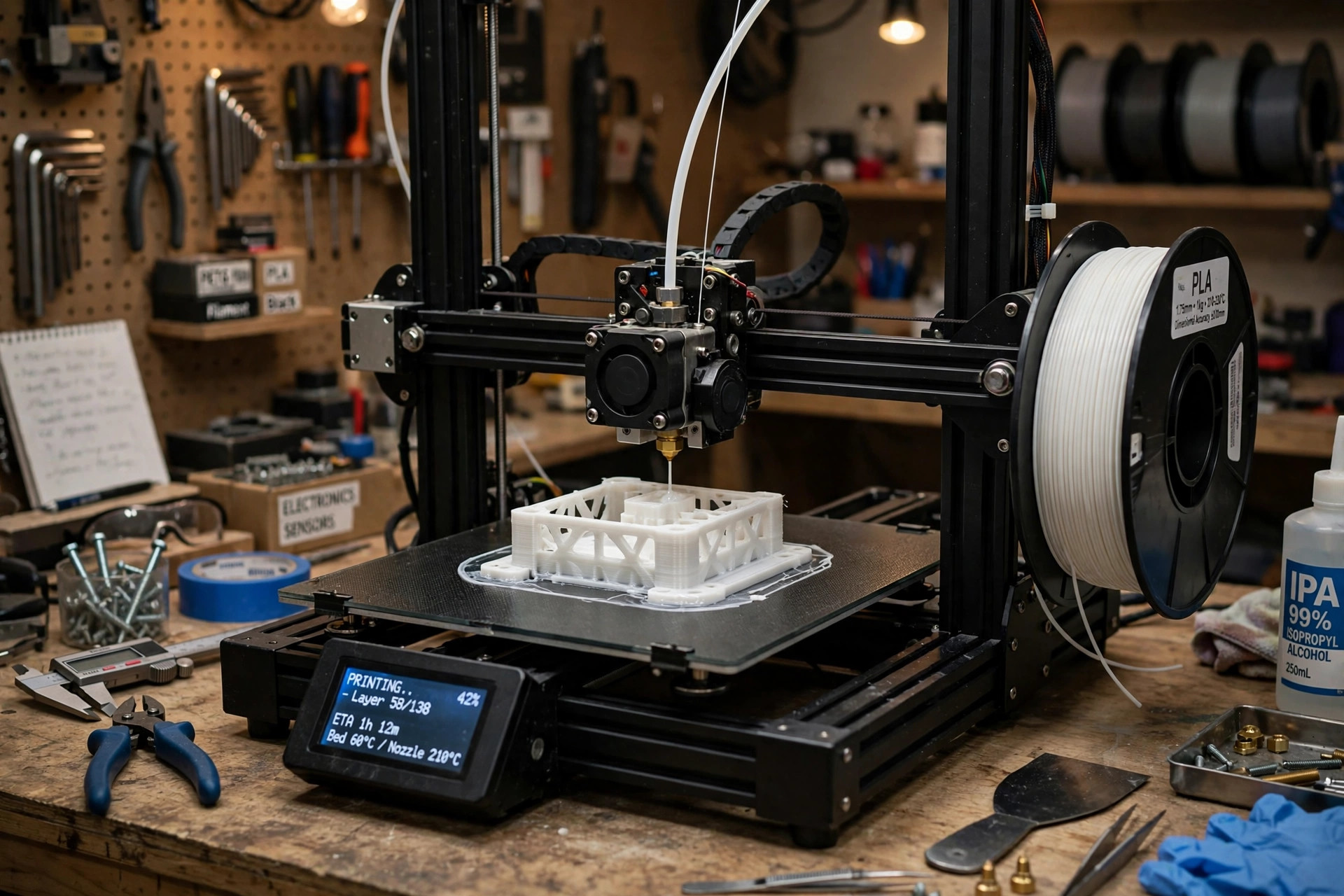
FDM (fused deposition modeling), also called FFF, feeds a spool of thermoplastic filament into a heated nozzle, typically 0.4 mm wide. The nozzle melts the plastic and deposits it in precise paths, one layer at a time, onto a heated build plate. As each layer cools, it bonds to the one below. The process is mechanically simple, which is why FDM machines range from desktop units to large industrial systems, and why material costs stay low.
SLA: Cured Resin
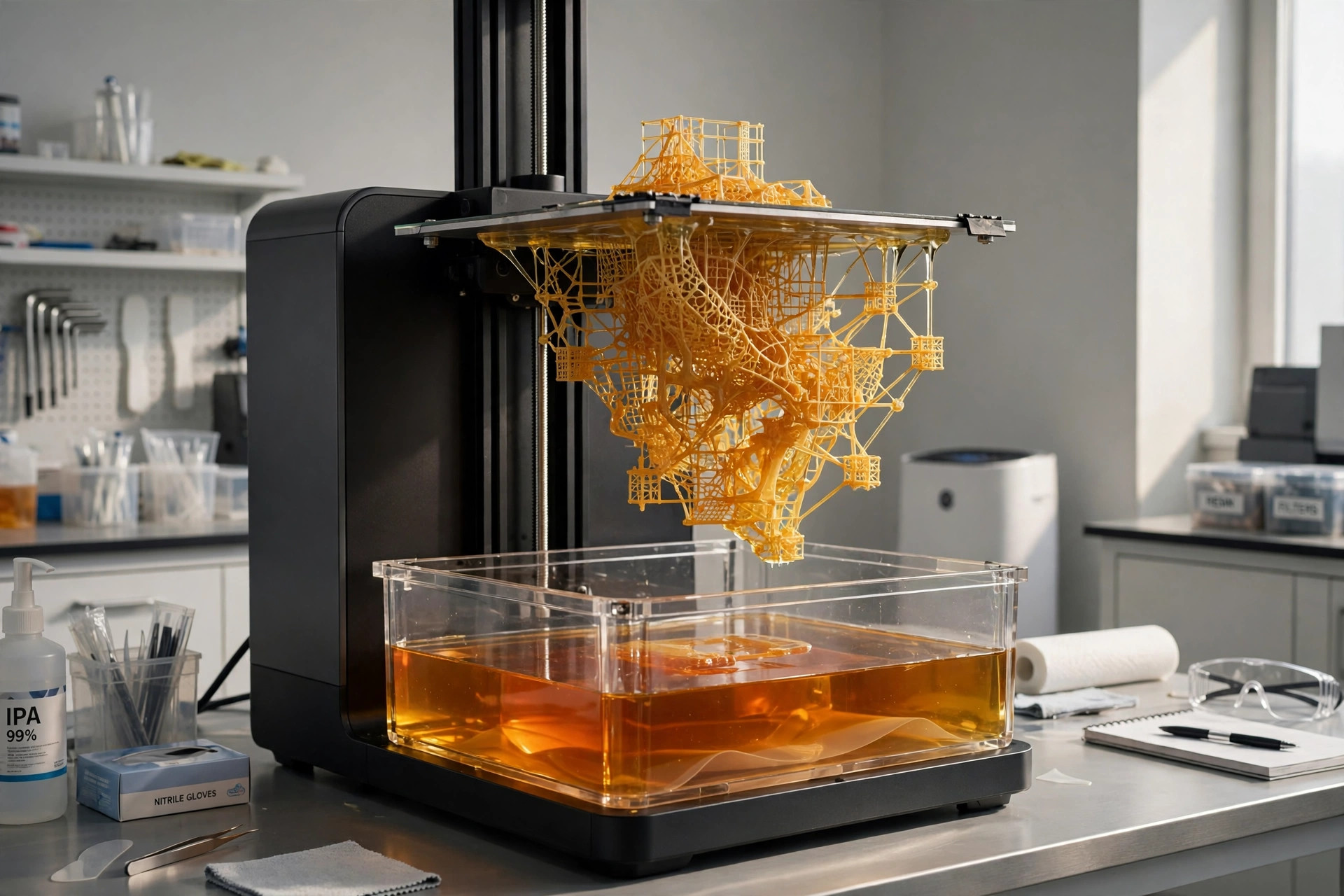
SLA (stereolithography) starts with a vat of liquid photopolymer resin. A UV laser, or an LCD screen in masked SLA machines, cures one thin layer of resin at a time against a build platform that lifts the part out of the vat as it grows. After printing, parts are washed in isopropyl alcohol to remove uncured resin, then post-cured under UV light to reach full strength and stability.
FDM vs SLA at a Glance
The table below summarizes the differences that matter most when you are specifying a part.
| Fator | FDM | SLA |
|---|---|---|
| Principle | Extrudes melted thermoplastic filament through a nozzle | Cures liquid photopolymer resin with UV light |
| Typical layer height | 0.1 to 0.3 mm | 0.025 to 0.1 mm |
| Tolerância típica | ±0.3 to ±0.5 mm | ±0.05 to ±0.15 mm |
| Acabamento da superfície | Visible layer lines, matte texture | Smooth, close to injection molded |
| Força | Strong and tough in engineering filaments, weaker between layers | Uniform properties, but standard resins are brittle |
| Materiais | PLA, ABS, PETG, ASA, nylon, TPU, PC, PEEK, fiber-filled filaments | Standard, tough, flexible, castable, dental and high-temperature resins |
| Tamanho da peça | Large; industrial machines exceed 500 mm per side | Usually compact; large industrial systems reach about 750 mm |
| Velocidade | Fast for large, simple parts at thick layers | Efficient for batches of small parts; time depends on part height |
| Custo por peça | Baixo | Médio a alto |
| Best volumes | One-offs and low volumes of larger parts | Low volumes of small, detailed parts |
Accuracy and Tolerances
SLA is the clear winner on precision. Its layers are 0.025 to 0.1 mm thick, and the curing light spot is far finer than an FDM extrusion line, so SLA parts routinely hold ±0.05 to ±0.15 mm and the 3D print matches the CAD file closely. Small holes, thin walls, engraved text and mating features come out close to the nominal CAD dimensions with little adjustment.
FDM typically holds ±0.3 to ±0.5 mm, and accuracy drops further on large parts as the plastic shrinks while cooling. The nozzle also sets a hard floor on feature size: walls thinner than about 0.8 mm and details under 0.4 mm will not print reliably. For brackets, housings and fixtures, FDM accuracy is more than enough. For parts that must snap together straight off the printer, SLA has a real edge.
SLA vs FDM Strength and Durability
The SLA vs FDM strength comparison surprises many buyers, because the smoother process is not the stronger one. FDM parts are printed from real engineering thermoplastics, so a nylon, ABS or polycarbonate part behaves much like the same plastic in a molded part. The weakness is direction: layers bond less strongly than the material itself, so FDM parts are anisotropic and can split along layer lines under load across the Z axis.
Standard SLA resins cure into a rigid but comparatively brittle plastic. They snap rather than flex, and they keep degrading under UV exposure, so outdoor parts age faster. Tough, durable and high-temperature resins close much of the gap, and because SLA parts are nearly isotropic, their strength is more predictable in every direction. Even so, for clips, gears, brackets and parts that take repeated mechanical stress, FDM in a suitable filament is the safer default.
Acabamento da superfície
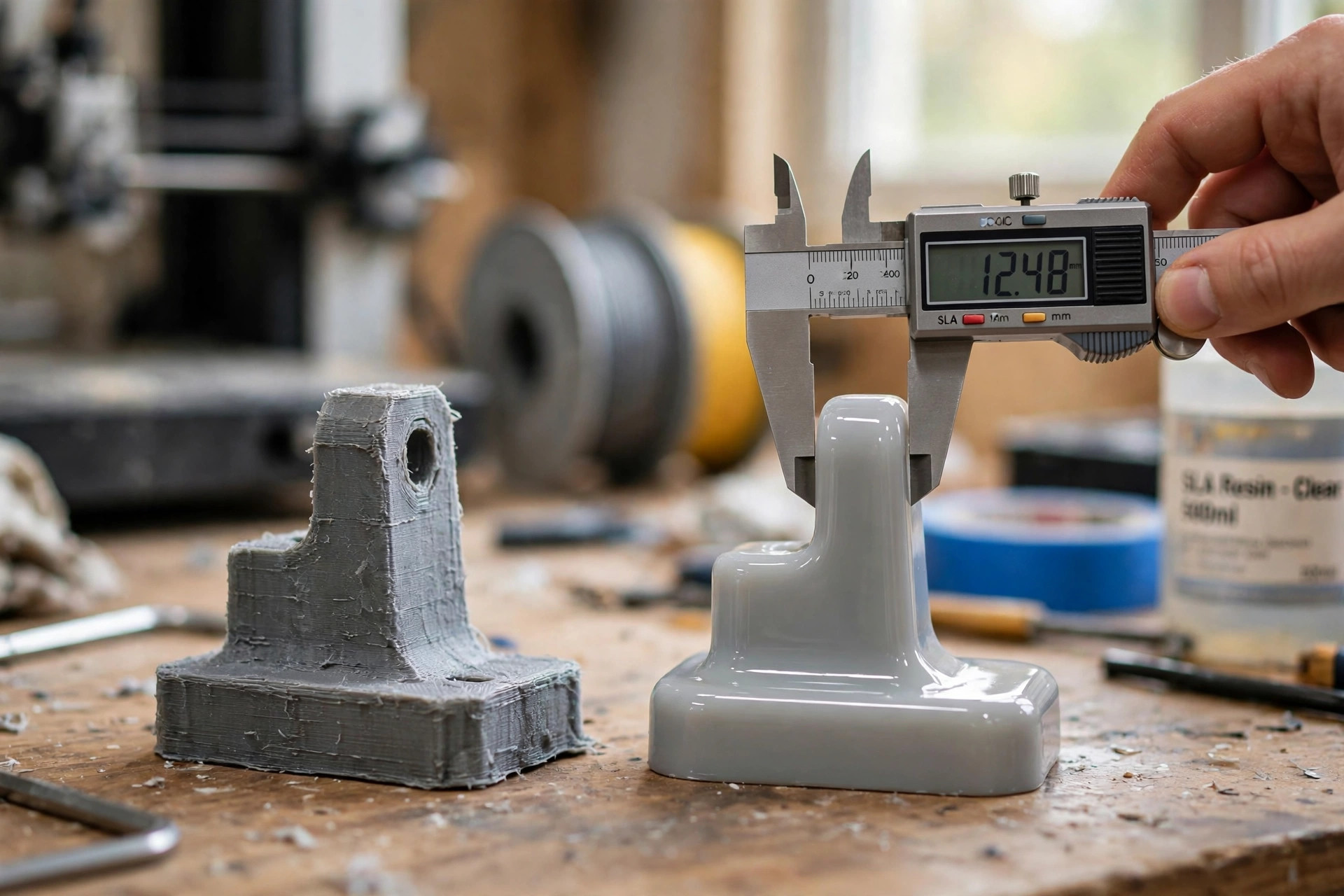
Surface finish is the most visible difference between the two processes. FDM deposits visible beads of plastic, so side walls show clear layer lines and a matte, slightly ribbed texture. Sanding, priming and painting can fix this, but that adds manual labor to every part.
SLA parts come off the printer smooth, with layer lines that are hard to see and a finish close to injection molding, so the finished 3D print needs little extra work. Edges stay crisp and fine textures survive. If the part will be shown to customers, photographed, or used as a master for molding, SLA usually needs nothing more than support removal and a light finish to be presentable.
Resin vs Filament Printing: Materials Compared
The resin vs filament printing choice decides what your part can survive. Filament is a true thermoplastic: it softens with heat, shrugs off everyday handling, and comes in a wide engineering range. Common options include PLA for cheap visual models, PETG and ASA for outdoor use, ABS for toughness, nylon for wear parts, TPU for flexible parts, and high-performance options such as polycarbonate, PEI and PEEK for hot or demanding environments. Carbon and glass fiber filled filaments add stiffness where needed.
SLA resins are photopolymers formulated for specific jobs: standard resins for detail, tough and durable resins that mimic ABS or polypropylene behavior, flexible resins, high-temperature resins, castable resins that burn out cleanly for jewelry and dental casting, and biocompatible resins for dental and medical models. The catch is that most resins are single-purpose, cost more per kilogram than filament, and are less forgiving of heat and sunlight than engineering thermoplastics.
FDM vs SLA Cost: What Drives the Price per Part
Three things drive cost in both processes: material, machine time and hands-on labor. FDM wins on all three in most cases. Commodity filament costs roughly $20 to $50 per kilogram, each FDM 3D print needs almost no post-processing beyond support removal, and large parts can run at thick layers to cut machine time.
SLA resin typically costs $100 to $200 per liter for standard grades, and much more for specialty grades. Every part also needs washing, support removal and UV post-curing, which adds labor minutes that do not shrink with part size. The exception is small, highly detailed parts: there, SLA can fill a platform with parts in a single run, making the per-part cost competitive, while an FDM version might need so much hand finishing that it costs more overall.
Who Should Choose Which?
Choose FDM for Functional and End-Use Parts
Pick FDM when the part has a job to do: functional prototypes that will be loaded, flexed or bolted together; jigs, fixtures and brackets; large housings and enclosures; and low-volume end-use parts in nylon, ASA or polycarbonate. It is also the default when build size matters, or when the budget per part is tight. Both routes start as prototipagem rápida before moving to production volumes.
Choose SLA for Detail and Appearance
Pick SLA when the part has to look right or resolve fine detail: visual and presentation prototypes, dental and medical study models, miniatures, jewelry patterns, and masters for silicone molding. If a stakeholder will judge the part by eye, or by how precisely it fits, SLA is usually the right call.
If you do not want to maintain both machine types in-house, ordering through a 3D printing service such as XY Machining gives you access to both processes under one roof, and the engineers quoting your file can flag which one suits your geometry and material requirements.
FDM vs SLA vs SLS: What About SLS?
The FDM vs SLA vs SLS comparison matters when a part needs FDM-like strength with more design freedom. SLS (selective laser sintering) fuses nylon powder with a laser. The unsintered powder supports the part during printing, so SLS needs no support structures and handles complex internal channels and nested batches efficiently. Parts come out strong and functional, close to molded nylon, but with a grainy, matte surface and a higher cost per part than FDM. Choose SLS for complex functional parts and short production runs. Stay with FDM for cheap and large, and SLA for smooth and detailed.
Difference Between FDM and SLA: How to Choose the Right 3D Printer
If you are new to 3D printing, the difference between FDM and SLA is the first thing to understand, because the differences between FDM and SLA shape every later decision. FDM and SLA 3D printing are the two most widely used 3D printing technologies, and each category of 3D printing has its own strengths. SLA and FDM 3D printing are both mature options, and in an SLA vs FDM 3D printing comparison the right choice depends on what the part must do, not on which 3D printer looks more impressive.
Print Quality: Resin Detail vs Filament Lines
Start with print quality. Print quality on an FDM 3D printer is limited by the nozzle: layer lines stay visible and fine text can blur. An SLA printer cures resin with light, so the 3D print holds crisp edges and smooth curves. DLP 3D printing is a third resin option worth knowing: DLP and LCD machines cure a whole layer at once instead of tracing it with a laser, so SLA and DLP are both resin printers, but DLP trades some detail for speed on small parts. For printing parts where appearance matters, resin 3D printing usually wins; for print models that will be handled, tested and loaded, FDM printing is the safer default. SLA printed parts need washing and a final cure before use, so whatever process you pick, wash and cure the 3D print properly and check the 3D print against the drawing before assembly.
The Hardware: Printers, Print Beds and Print Speed
Next, look at the hardware. An FDM 3D printer uses a heated nozzle and a print bed, and FDM printers use filament that costs far less than resin. A desktop 3D printer suits one-off prototypes, while industrial FDM systems run large parts around the clock. SLA 3D printers work differently: an SLA printer uses a vat of resin and a light source to cure each layer, and a final UV cure finishes the part. Print speed follows from that difference. On an FDM 3D printer, print speed depends on layer height and part size; on SLA 3D printers, print speed depends mostly on part height, since a whole platform of small parts cures in one run. Each printer uses a different consumable, so compare material cost per 3D print, not just machine price.
Materials: Filament Value vs Resin Detail
Finally, compare materials honestly. FDM materials include PLA, PETG, ABS, nylon and polycarbonate, and FDM is usually the cheaper route for functional parts. SLA materials include standard, tough, flexible and castable resins, and SLA uses chemistry that favors detail over toughness. Unlike FDM, resin parts can stay brittle unless you choose a tough grade, and what makes FDM attractive is the ability to print strong, usable parts from the same plastics used in molding. FDM stands for fused deposition modeling, and the filament used in FDM printing behaves like ordinary thermoplastic. Check the finished 3D print before committing: hold each 3D print in hand, test the fit, and confirm your 3D print matches the 3D model. A careful first 3D print tells you more than any datasheet, and a second 3D print in the other process settles the choice for good.
Conclusão
There is no universal winner in the FDM vs SLA debate. Match the process to the part: FDM for strength, size, material range and low cost; SLA for accuracy, detail and finish; SLS when geometry gets complex and volumes rise. When in doubt, print the critical part both ways and compare each 3D print against the samples. The difference is visible, and measurable, in the first run.
Perguntas frequentes
Which is better, SLA or FDM?
Neither process is better in absolute terms. SLA wins on accuracy, fine detail and surface finish, which makes it ideal for visual models and small intricate parts. FDM wins on strength, material choice, build size and cost, so it is usually better for functional prototypes and end-use parts.
Is SLA printing more accurate than FDM?
Yes. SLA typically holds tolerances around ±0.05 to ±0.15 mm and prints layers as thin as 0.025 mm, so small features and holes come out close to the CAD model. FDM usually holds ±0.3 to ±0.5 mm, and fine details are limited by the nozzle diameter.
Which is stronger, FDM or SLA?
FDM parts are generally stronger and tougher, especially in engineering filaments such as nylon, ABS and polycarbonate, which handle impact, heat and repeated loading well. Standard SLA resins are comparatively brittle, although tough and durable resin grades narrow the gap. For parts that must survive real mechanical stress, FDM is safer.
Is FDM or SLA cheaper?
FDM is cheaper in most cases. Filament costs far less per kilogram than resin, FDM machines are less expensive, and parts need almost no post-processing. SLA costs more because of resin prices, washing and UV curing labor, and support removal. For large or simple parts, the gap is significant.
What is the difference between FDM, SLA and SLS?
FDM extrudes melted plastic filament, SLA cures liquid resin with UV light, and SLS fuses nylon powder with a laser. SLS needs no supports and produces strong, functional parts in small batches, but with a grainy surface and higher cost than FDM. It sits between prototyping and production.